Most PDF editors ask you to hand over your files before you can do a single thing. Your contracts, invoices, and sensitive documents travel across the internet - often with no visibility into where they go or who can see them.
EdiPDF is built on a different principle entirely. It's a private PDF editor online without uploading a single byte of your data anywhere. No tracking. No logging. No exposure - ever.
Quick Answer: EdiPDF is a free, browser-based PDF editor that processes all files locally on your device. Nothing is uploaded to a server. There are no watermarks, no accounts, and no hidden fees.
What Is EdiPDF?
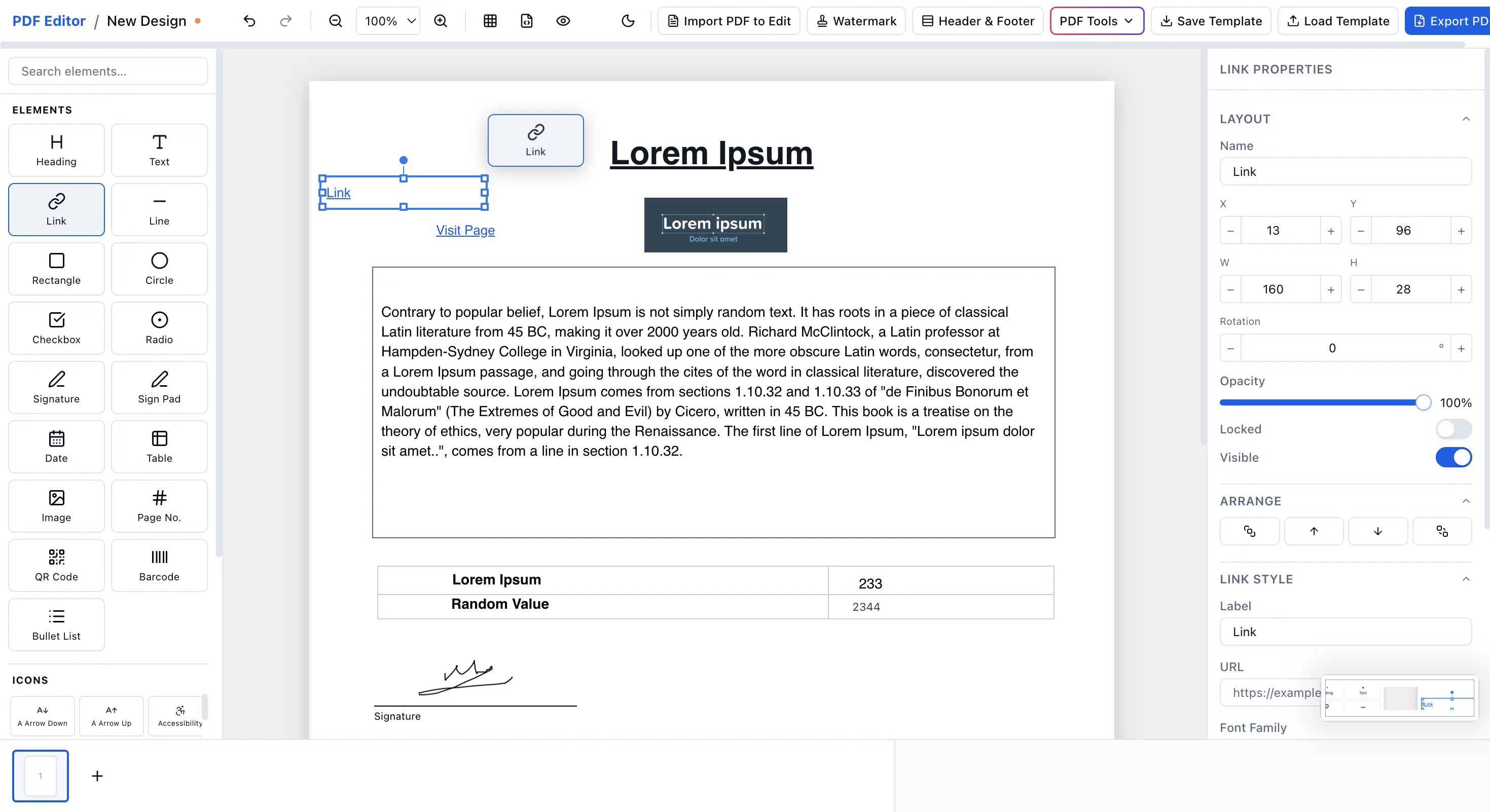
EdiPDF is a browser-based PDF editor that runs entirely inside your web browser. No software to install, no account to create, no server to upload to. When you want to edit PDF online in your browser with EdiPDF, you get the full capability of a desktop editor - without giving up an ounce of privacy.
It's one of the very few private PDF tools online that delivers a truly complete editing experience. Fast, free, and built on one simple belief: your files belong to you.
Who Is EdiPDF For?
EdiPDF is designed for anyone who handles sensitive documents and can't afford a data breach - freelancers, legal professionals, accountants, healthcare workers, students, and everyday users who just want to edit a PDF without the hassle or risk.
Why EdiPDF Is the Most Private PDF Tool Online
100% Client-Side Processing - Nothing Leaves Your Device
This is what sets EdiPDF apart from every other tool on the market. It's a true client-side PDF editor - all processing runs directly in your browser using local computation. Your files never touch a server.
Unlike most tools, EdiPDF is a genuine PDF editor without tracking, cookies, or background analytics watching what you edit. Whether it's a tax return, a legal brief, or a medical record - you work with complete peace of mind.
No cloud. No third-party servers. No risk.
First No-Upload Editor That's Also Completely Free - No Watermark
EdiPDF is the first no upload PDF editor that is also a fully secure PDF editor and a robust free PDF creator - and it's completely free with no watermark on your exported files. No hidden tiers. No "upgrade to remove branding."
What you edit is exactly what you get - clean, professional, and 100% yours. If you've been searching for a true free PDF editor no watermark, your search ends here.
Key Features of EdiPDF
Document Management
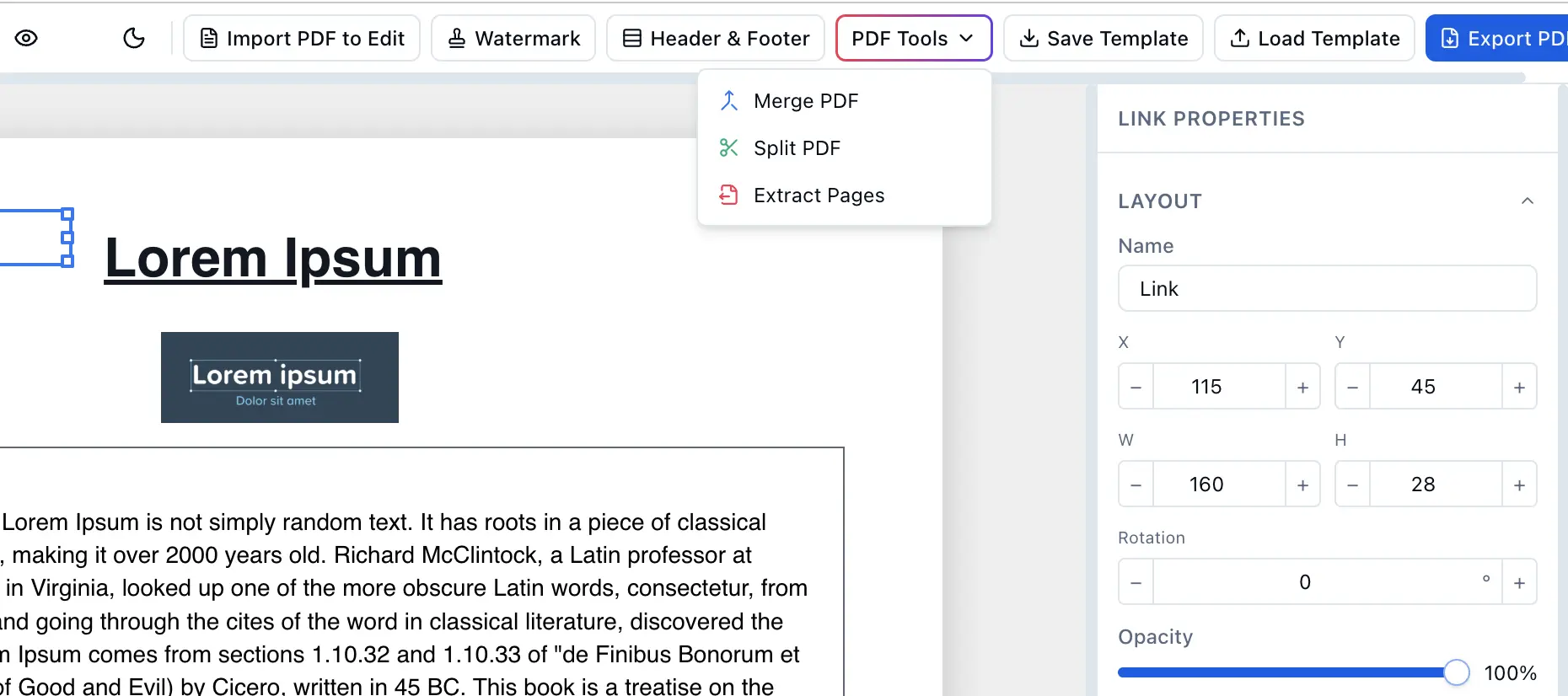
Merge, Split, and Extract PDF Pages
Need to combine multiple documents into one? Pull out a specific page? Reorganize a report before sending it? EdiPDF makes it simple to merge, split, and extract pages - all without uploading anything. Full document control, right in your browser.
Multiple Page Sizes and Orientations
EdiPDF supports all major page sizes - A4, Letter, Legal, and more - along with both portrait and landscape orientations. Whether you're producing a formal report, a presentation deck, or a custom print layout, your formatting is exactly where you need it.
Save Templates Locally and Import Later
EdiPDF lets you save document layouts as reusable templates - stored entirely on your local device. Working on recurring forms or repeating document structures? Import your saved template in seconds and continue where you left off. No re-uploading. No reformatting.
Editing and Precision Tools
Grid Line Support for Pixel-Perfect Layouts
Precision matters in professional documents. EdiPDF includes full grid line support so you can align text, images, and elements with accuracy. Perfect for structured forms, technical documents, or any layout where placement counts.
Intuitive Design That Gets Out of Your Way
EdiPDF is built for people, not power users. The interface is clean, modern, and immediately familiar. No learning curve. No cluttered toolbars. Just a workspace that stays out of your way so you can stay focused on your work.
Dark Theme for Comfortable Editing
Work at any hour without straining your eyes. EdiPDF includes a full dark theme built for long editing sessions. A small feature - but one that adds up fast for daily users.
Preview and Output Tools
HTML and PDF Preview Modes (All Local)
Before you export, EdiPDF gives you both HTML and PDF preview modes - rendered entirely in your browser, with zero server calls. See exactly how your document will look before it leaves your hands. No surprises. No round-trips.
Add Watermark, Header, and Footer
EdiPDF gives you precise control over document branding. Add a custom watermark, header, or footer in just a few clicks - ideal for businesses marking drafts, freelancers adding their logo, or anyone sending formal correspondence.
Import PDF and Extract Text
Already working with an existing PDF? EdiPDF lets you import it and extract the text directly - making it easy to repurpose content, pull out key data, or build on top of documents you already have. Fast, local, and completely private.
EdiPDF vs. Other Online PDF Editors
| Feature | EdiPDF | Typical Online Editors |
|---|---|---|
| Files uploaded to server | ❌ Never | ✅ Always |
| Watermark on free exports | ❌ None | ✅ Usually |
| Account required | ❌ No | ✅ Often |
| Tracking / analytics | ❌ None | ✅ Common |
| Works offline (after load) | ✅ Yes | ❌ Rarely |
| Dark theme | ✅ Yes | ❌ Rarely |
| Client-side processing | ✅ Yes | ❌ No |
Frequently Asked Questions
Does EdiPDF upload my files to a server?
No. EdiPDF is a client-side PDF editor - everything runs locally in your browser. Your files are never sent to any server.
Is EdiPDF really free with no watermark?
Yes. EdiPDF is a completely free PDF editor no watermark included on any export, at any time, with no account required.
Is EdiPDF safe for sensitive documents?
Absolutely. Because it's a PDF editor without tracking and processes everything on your device, it's one of the safest tools available for editing confidential files.
Can I use EdiPDF to merge and split PDFs?
Yes. EdiPDF fully supports the ability to merge, split, and extract PDF pages, all handled locally in your browser.
Do I need to install anything?
No. EdiPDF is a browser-based PDF editor - open it in any modern browser and start editing immediately.
Ready to Edit Without the Risk?
There are dozens of online PDF editors. Most trade your convenience for your data. EdiPDF is the private PDF editor online without uploading that gives you everything - a secure PDF editor, a no upload PDF editor, a free PDF editor no watermark - with nothing taken in return.
Join thousands of users who've already made the switch to the smartest private PDF tools online available today.