You have a PDF that needs a signature. Maybe it is a contract, an offer letter, a rental agreement, or a consent form. What you do not have is time to create an account, verify an email, or hand your document to a service you do not know.
EdiPDF lets you sign PDF online in under two minutes, completely free, with no account required and no file leaving your device. Open the PDF signing tool now or keep reading if you want to understand how it works and whether an electronic signature is legally valid before you use it.
Direct Answer: EdiPDF is a free, browser-based PDF editor that lets you draw, type, or upload a signature and place it anywhere on your PDF with zero account creation and zero file upload. Everything runs locally in your browser. Your document never leaves your device.
Is an Electronic PDF Signature Legally Valid?
This is the question most people have before they sign anything digitally, and it is worth answering clearly before anything else.
Yes in most jurisdictions, an electronic signature on a PDF is legally binding. The United States ESIGN Act (2000) and UETA give electronic signatures the same legal weight as handwritten ones for the vast majority of documents. The EU eIDAS regulation does the same across Europe. Similar laws exist in the UK, Australia, Canada, India, and most other countries.
A drawn, typed, or image-uploaded signature added to a PDF qualifies as an electronic signature under these laws. EdiPDF's signing tool produces exactly this type of signature.
Important distinction: An electronic signature is a mark that indicates intent to sign a drawing, typed name, or uploaded image. A digital signature is a cryptographic certificate embedded in the file for high-security verification. For contracts, NDAs, offer letters, and most standard documents, an electronic signature is sufficient. If your document specifically requires a cryptographic digital signature, check with the requesting party before proceeding.
Why "No Sign Up" Matters More Than You Think
Most tools advertised as online PDF editor free no sign up are not entirely honest about that. Look closely: Signeasy asks for your email. Adobe requires an account to save. Smallpdf pushes you to register after a free use. The "no sign up" claim often means "no sign up for this one action, but we'll ask afterward."
EdiPDF has no account system at all. There is no registration flow, no email field, no "create your free account" step at any point. You open the tool, you sign your PDF, you download it. That is the entire process.
This also matters for privacy. Tools that collect your email or create an account for you are building a record of your document activity. A true PDF editor without sign up one with no account infrastructure has nothing to record.
How to Sign a PDF Online Using EdiPDF (Step-by-Step)
No account. No upload. Five steps.
Step 1 Open the signing tool
Go to EdiPDF's free PDF signing tool. It opens immediately in your browser. No email prompt. No loading screen while a server warms up. Just the tool.
Step 2 Load your PDF
Click to select your file or drag it into the workspace. Your PDF opens directly inside your browser tab using local processing the file is read by your own device, not transmitted to any server.
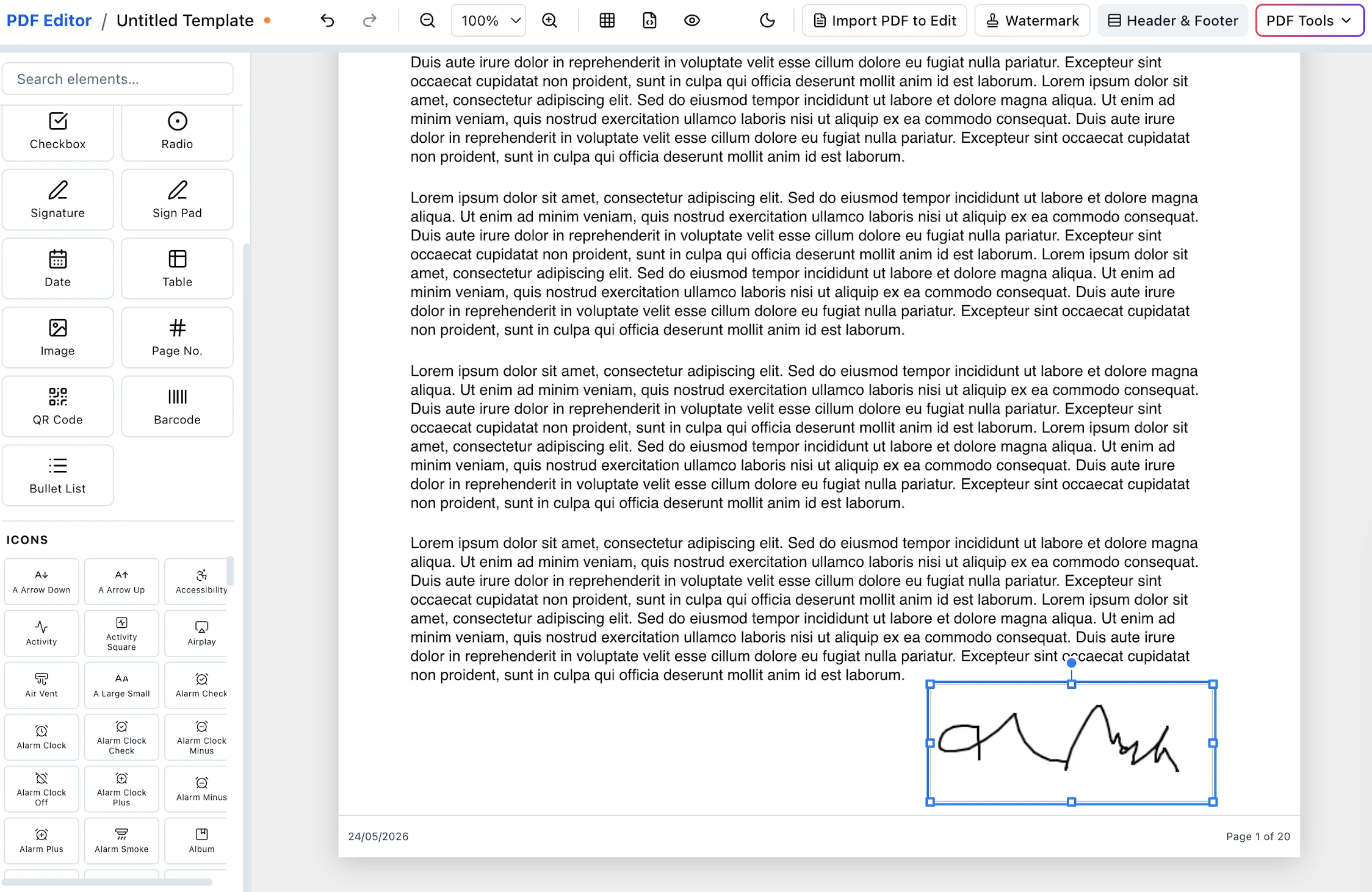
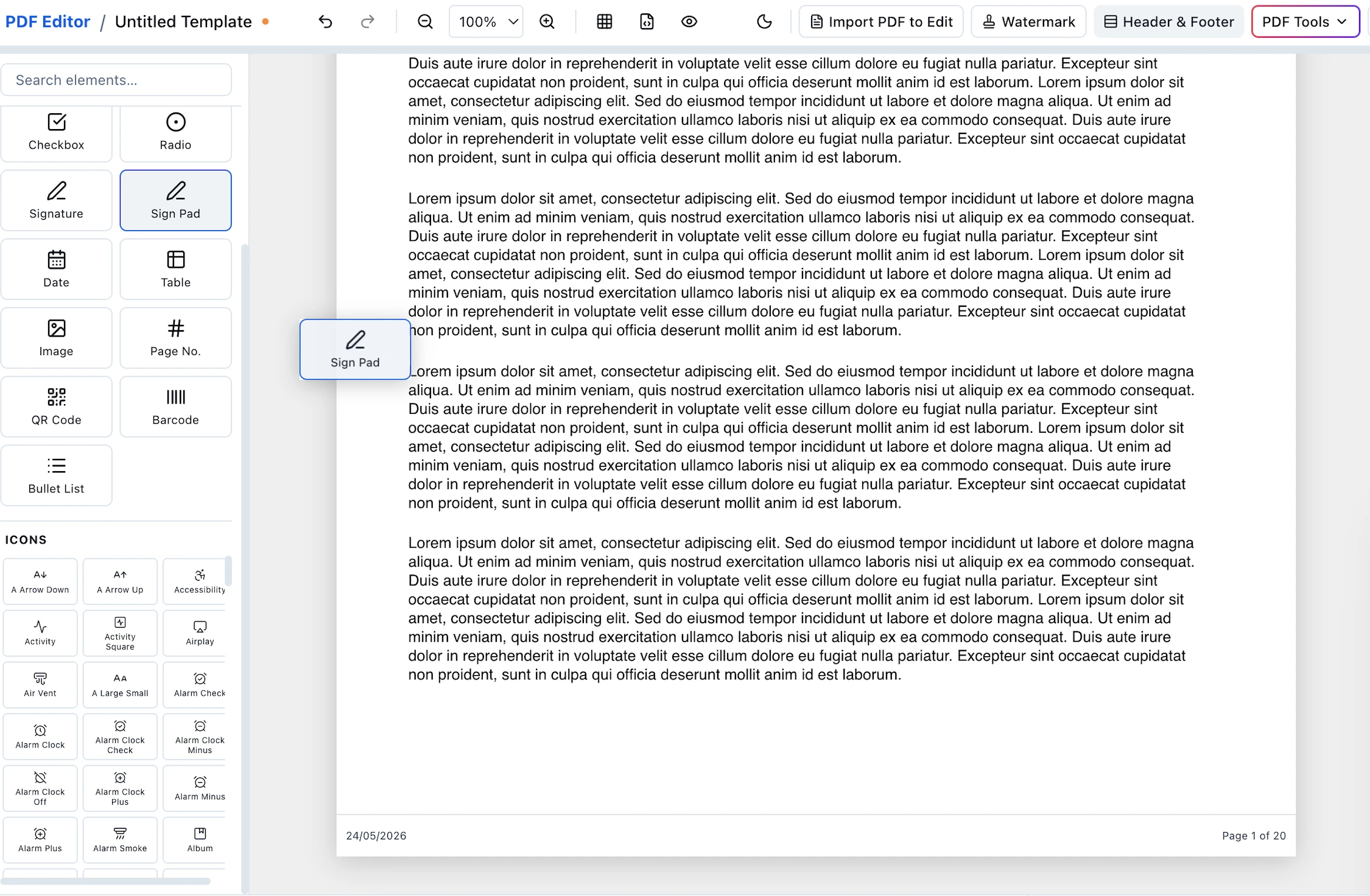
Step 3 Create your signature
Choose how you want to sign. EdiPDF gives you three options:
- Draw use your mouse, trackpad, or finger on a touchscreen to draw your signature freehand, exactly as you would on paper.
- Type type your name and choose a handwriting-style font. Fast for straightforward documents where a typed signature is acceptable.
- Upload an image if you have a scanned or photographed image of your handwritten signature, upload it. EdiPDF places it on the PDF as a transparent overlay.
Step 4 Place and resize your signature
Drag your signature to the correct position on the document. Resize it using the corner handles to match the signature field. You can also move it after placement if you need to adjust.
Step 5 Download your signed PDF
Click download. Your signed PDF saves directly to your device watermark-free, with no branding from EdiPDF. What you sign is exactly what you get.
EdiPDF vs Other Free PDF Signing Tools
The market for online PDF editor no sign up tools is crowded but full of half-truths. Here is a straight comparison of what each tool actually requires:
| Tool | Account required | File uploaded to server | Watermark-free | Genuinely free |
|---|---|---|---|---|
| EdiPDF | ❌ No account, ever | ❌ Never uploaded | ✅ Always | ✅ Yes, no limits |
| Adobe Acrobat Free | ✅ Required to save | ✅ Always uploaded | ⚠️ On paid plan only | ⚠️ Limited features |
| Smallpdf | ✅ Required after trial | ✅ Always uploaded | ⚠️ Paid plan only | ⚠️ 2 tasks/day limit |
| Signeasy | ✅ Email required | ✅ Always uploaded | ✅ Yes | ⚠️ Trial, then paid |
| DocuSign | ✅ Required | ✅ Always uploaded | ✅ Yes | ⚠️ Trial only |
| DigiSigner | ❌ No | ✅ Always uploaded | ✅ Yes | ✅ Yes (limited) |
When you search for a PDF editor online free no sign up, this table is what you should be looking at. Most results claim both "free" and "no sign up" but very few deliver on both at the same time, and almost none process files locally. If you need to PDF edit online free no sign up and without handing your document to a server, EdiPDF is the only tool in this list that satisfies all three conditions simultaneously.
The column that separates EdiPDF from every other tool is "File uploaded to server." All competitors even the ones with no account requirement upload your document to process it. EdiPDF processes everything locally in your browser. That is the only approach where privacy is guaranteed rather than promised.
Who Should Use a No-Upload PDF Signing Tool
For a straightforward document with no sensitive content, any free pdf text editor online no sign up tool will work. But for certain situations, a tool that uploads files creates real risk:
- Signing NDAs or confidentiality agreements there is something ironic about uploading a non-disclosure agreement to a third-party server. Sign it locally instead.
- Employment offers and salary documents HR and payroll documents contain personal financial data. Local processing keeps it within your organisation.
- Medical consent forms patient data is subject to strict regulations in most countries. A tool that never receives the file cannot violate those regulations.
- Legal contracts with confidentiality clauses if the contract itself prohibits sharing with third parties, uploading it to a signing tool may technically violate that clause.
- Anyone who simply wants to sign one PDF without being marketed to creating an account to sign a single document means your email goes into a sales funnel. A PDF editor without sign up avoids that entirely.
Other PDF Tasks You Can Do Without Sign Up or Upload
Once your PDF is signed, you may need to do more with it. EdiPDF covers the complete workflow all in your browser, all with the same no-account, no-upload guarantee:
- Edit PDF text online for free fix a name, update a date, or correct any text without Adobe.
- Merge PDF files combine your signed document with supporting attachments into one file.
- Split a PDF pull out a specific signed section to send separately.
- Extract pages from a PDF save individual signed pages as a separate file.
Frequently Asked Questions
Is EdiPDF a genuinely free PDF editor online with no sign up?
Yes. EdiPDF is a completely free tool with no account creation at any stage. There is no trial period, no "free tier" with limits, and no request for your email address. Every feature including PDF signing is available immediately without any registration.
Does signing a PDF in EdiPDF upload my file?
No. EdiPDF is a browser-based PDF editor that processes everything locally on your device. Your file is opened by your browser in your device's memory. Nothing is transmitted to EdiPDF's servers because no upload path exists in the tool's architecture.
Is the signature legally valid if I sign a PDF online for free no sign up?
Yes, in most jurisdictions. Electronic signatures are legally recognised under the US ESIGN Act, EU eIDAS regulation, and equivalent laws in most countries. The signature EdiPDF produces drawn, typed, or image-uploaded qualifies as an electronic signature under these laws for standard commercial and personal documents.
Can I edit pdf online for free no sign up as well as sign?
Yes. EdiPDF covers both. Use the edit PDF tool to change text in your document before signing, then use the sign tool to add your signature all without creating an account or uploading your file.
What is the difference between EdiPDF and DocuSign?
DocuSign is a workflow platform designed for collecting signatures from multiple parties, tracking document status, and maintaining audit trails. It requires an account and a paid subscription for most use cases. EdiPDF is a private PDF editor for adding your own signature to a PDF instantly free, without an account, and without uploading anything. If you need to send a document to someone else for their signature, DocuSign is the right tool. If you need to sign a document yourself right now, EdiPDF is.
Can I sign a PDF on my phone without creating an account?
Yes. EdiPDF works in any modern mobile browser on iOS and Android. Open edipdf.com/sign on your phone, load your PDF, draw your signature with your finger, position it, and download. No app installation. No account. It works the same way as on desktop.
Sign Your PDF Now Free, Private, No Account
You do not need a subscription, an account, or a cloud service to sign PDF online. EdiPDF gives you a complete signing tool that runs in your browser, processes your file on your own device, and exports a clean, watermark-free PDF in under two minutes.